Product
Company
Pricing
Tutorials
Docs
Request demo
Get started
Tutorials · no sign-up needed
Learn Machine
one minute at a time.
44 short videos and counting, in 6 learning paths, filmed in the real app. Start at the top, or jump straight to the one you need.
Start watching
Try Machine free
Press play!
44 videos · start with Getting started
28 new
01
New to Machine
Getting started
Open Machine, start a chat and get your first answer.
1:01
Next
02 · Choosing a model
1×
1.25×
1.5×
2×
←
→
previous / next ·
/
search
02
Learning paths
Pick a path,
we'll keep your place.
New to Machine
Your first chat, the right model, and getting around fast.
7 videos · 7 min
0/7 watched
Start
Get work done
Research, pages, images, spreadsheets and slides, and how to steer each answer.
12 videos · 12 min
0/12 watched
Start
Connect and automate
Your files and apps, the tools in every chat, and jobs that run on a schedule.
10 videos · 10 min
0/10 watched
Start
Rooms, settings and billing
Work with a room of agents, set things up your way, and see what you spend.
8 videos · 8 min
0/8 watched
Start
Advanced workflows
Longer walkthroughs that chain features into real work, start to finish.
1 video · 3 min
0/1 watched
Start
Quick looks
Short clips, under 40 seconds, when you just want to see it.
6 videos · 2 min
0/6 watched
Start
03
Every video
Search it,
or browse it all.
All
New to Machine
Get work done
Connect and automate
Rooms, settings and billing
Advanced workflows
Quick looks
01
1:01
Now playing
Getting started
Open Machine, start a chat and get your first answer.
02
1:01
Choosing a model
Pick the model for the job: search the list and compare costs at a glance.
03
1:01
Finding your chats
The sidebar, search and a fresh session, so nothing gets lost.
04
1:03
Follow-ups
Keep going in the same chat: Machine remembers what you asked before.
05
1:02
New
The command palette
One shortcut for almost everything: new chats, projects, files and settings.
06
0:51
New
Slash and @
Type / for actions and @ for agents and files, right in the message box.
07
1:02
New
Workspaces and projects
Every project you can reach in one list: switch between them, or jump with Control K.
08
0:55
Research
Ask a question and get an answer researched on the web, with its sources.
09
0:53
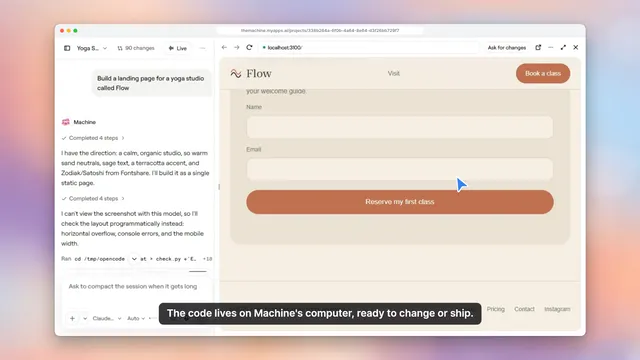
Build a page
Describe a web page and watch Machine build it with a live preview.
10
1:08
New
Agents and effort
Choose which agent answers and how hard it thinks, for any message.
11
0:58
New
Message actions
Copy an answer, see what it cost, or go back and try it a different way.
12
0:55
New
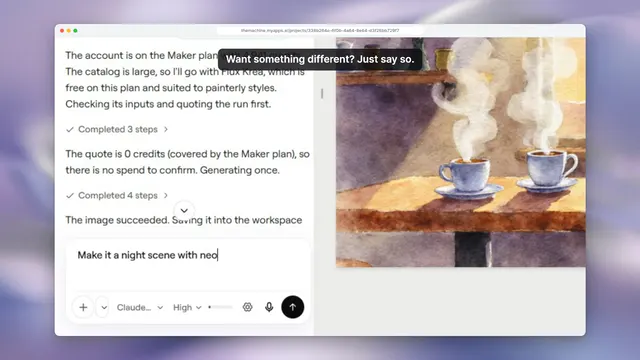
Make an image
Describe it and Machine makes it with Pixio, right in the chat.
13
0:58
New
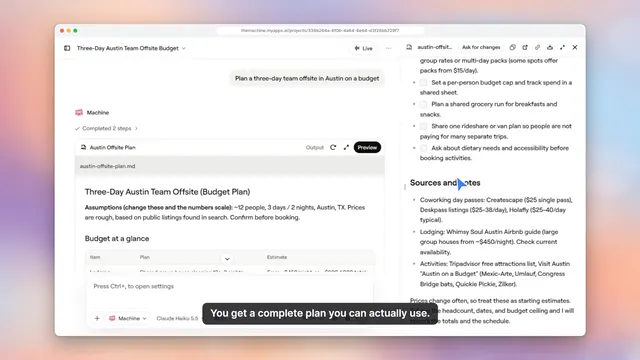
Docs and sheets
Ask for a spreadsheet or slides and get real files in your workspace.
14
0:59
New
Audio and video
Ask for a jingle or a short video and Machine makes it with Pixio, saved to your workspace.
15
1:02
New
Slide decks
Describe a deck and get real slides in your workspace, then ask for changes.
16
0:58
New
Stop and steer
Changed your mind? Stop an answer, or send a new direction and it picks it up right away.
17
1:11
New
Deploy a site
Ask for a website and say you want it live: Machine builds it, deploys it and gives you the link.
18
1:02
New
Rewind a message
Edit an earlier message and Machine goes back to that point, files and all, then answers again.
19
1:14
New
Make a video
Describe a scene and Machine makes the video with Pixio, ready to play in the chat.
20
0:56
Files
Browse and open your files, see their history and review proposed changes.
21
1:00
Connect your apps
Gmail, Calendar, Notion, Slack and more, plus your agents and skills.
22
1:07
New
Chat tools
Rename, share or summarize a chat, open its terminal, or talk to it Live.
23
0:59
New
Schedules
Have an agent do a job on its own, every day or once at a set time.
24
1:04
New
Export and summarize
Turn a long chat into a short summary you can carry on from, or export the whole conversation.
25
1:06
New
The browser panel
Machine reads a web page for you, or open the built-in browser and look yourself.
26
0:59
New
Build an agent
Describe the agent you want in plain words; Machine asks a few questions and builds it with you.
27
1:00
New
Your apps
Every site this project has deployed, live or not, with its address and when it was built.
28
1:03
New
Mail
Your agent’s own inbox: what it researched and replied to, and everything it sent.
29
0:53
New
Write a skill
Tell Machine what the skill should do; it writes it and opens a change for you to approve.
30
1:02
Rooms
A room full of agents: ask @everyone and watch them work together.
31
0:55
Settings
A tour of preferences, members, schedules, models and dark mode.
32
0:59
New
Your account
Your profile, your team, connected GitHub and the secrets your agents use.
33
0:57
New
Usage and billing
See what every answer costs, your credit balance, and which models are on.
34
0:58
New
Create a room
Start a room for a project, give it a topic, and say hello to the whole team of agents.
35
1:01
New
Global rules
Decide what agents may do without asking, for every tool or one connector at a time.
36
1:03
New
Your own subscriptions
Connect your own Claude or ChatGPT plan and Machine uses it, or make API keys for your own apps.
37
0:55
New
Room members
Who is in a room, who answers first, and the instructions every agent reads before its turn.
38
3:25
New
From data to a deck
A spreadsheet with real formulas, a chart, then a five-slide deck from the same numbers, its files and a full slideshow.
39
0:38
Your first chat
A first question, a real answer and a follow-up, start to finish.
40
0:23
A room of agents
Ask @everyone in a room and watch several agents answer together.
41
0:19
Research with sources
A web research answer, with the sources it came from.
42
0:22
A landing page, live
Machine builds a web page and shows it in a live preview.
43
0:16
Your apps, connected
Connectors, agents and skills in one place.
44
0:15
Files and history
Open a file, see its history and review a proposed change.
Your turn
Seen enough?
Try it yourself.
Everything in these videos works the moment you sign in.
Start for free
Read the docs
No credit card
Any model
Your own computer in the cloud